
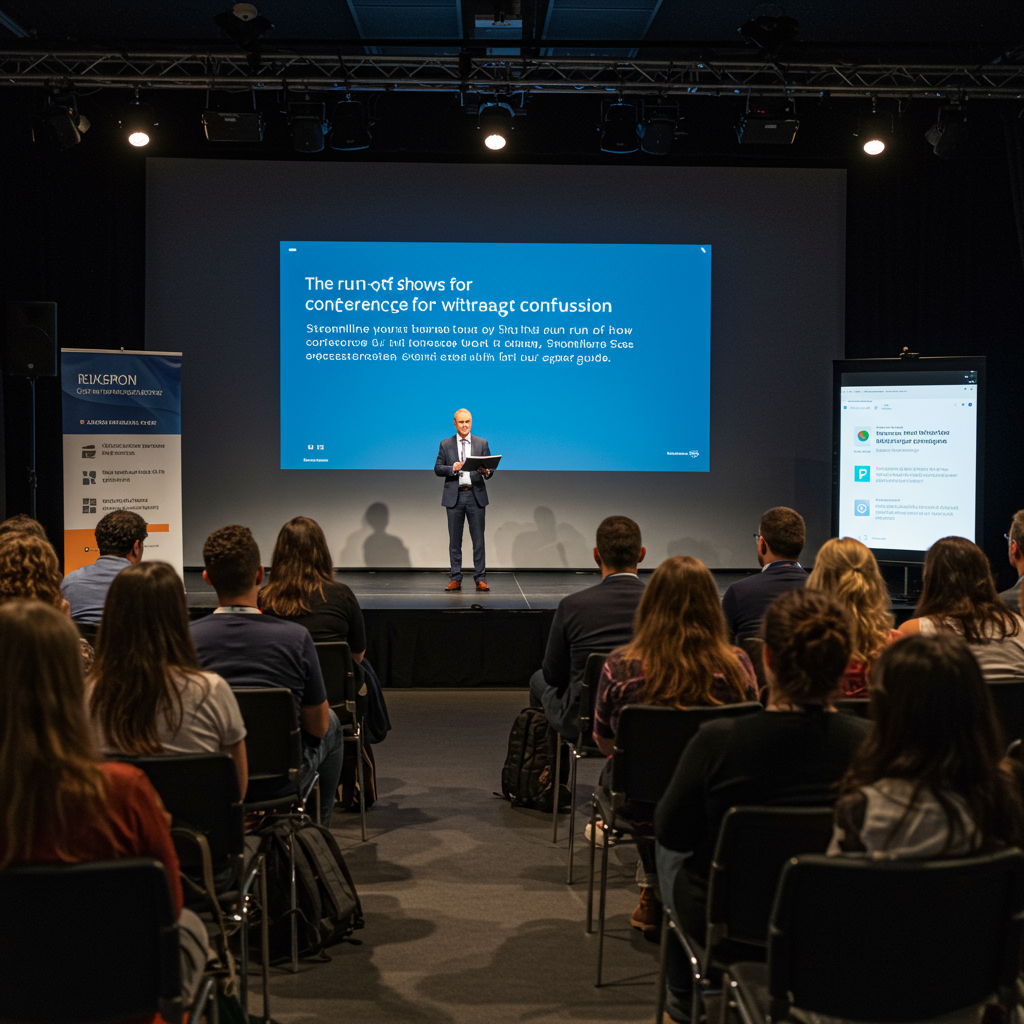
This guide provides a comprehensive framework for event planners, producers, and coordinators on how to design, manage, and execute a flawless multi-track conference run of show. We delve into the strategic vision, operational processes, and critical quality standards required to manage multiple parallel sessions without overwhelming attendees, speakers, or staff. By focusing on meticulous planning, clear communication, and robust contingency protocols, this article demonstrates how to transform a complex schedule into a seamless and engaging experience. Key performance indicators (KPIs) such as an on-time session start rate of over 98%, a budget variance below 3%, and a 15-point increase in attendee Net Promoter Score (NPS) are central to our methodology. This content is essential for anyone tasked with orchestrating large-scale events where clarity and precision are paramount.
Introduction
A multi-track conference presents a paradox of opportunity and chaos. For attendees, it’s a rich landscape of choice, allowing for a personalized journey through diverse topics. For organizers, it’s a monumental logistical puzzle. With multiple sessions running simultaneously across various rooms, each with its own speaker, AV requirements, and audience, the potential for confusion, delays, and frustration is immense. The critical tool that stands between a seamlessly executed event and a chaotic failure is the multi-track conference run of show (ROS). This document is far more than a simple agenda; it is the event’s central nervous system, a minute-by-minute blueprint detailing every action, cue, and transition for every track and every team member, from the keynote stage to the smallest breakout room.
This article provides a definitive methodology for mastering the ROS for complex events. We will break down the process from strategic conception to post-event analysis. The approach is data-driven, focusing on measurable outcomes and quality control. We will measure success through a suite of Key Performance Indicators (KPIs), including Attendee Satisfaction (NPS), Session Attendance Rate, Speaker Feedback Score, On-Time Performance (OTP) for session starts, and overall Budget Adherence. By implementing the strategies, checklists, and templates outlined here, you will gain the ability to orchestrate intricate event schedules with confidence and precision, ensuring a high-value, stress-free experience for everyone involved.
Vision, Values, and Proposition
Focus on Results and Measurement
Our vision for a perfect multi-track conference is one where complexity becomes invisible to the attendee. The event should feel intuitive, seamless, and enriching. This is achieved by embedding a core set of values into the ROS creation process: precision, clarity, proactivity, and collaboration. We apply the 80/20 principle (Pareto principle) by focusing our most intensive planning efforts on the 20% of elements that have 80% of the impact on the attendee experience. These typically include keynote transitions, track start times, catering breaks, and high-profile speaker logistics. Our technical standards are uncompromising, adhering to established event production best practices for AV cues (e.g., sound, lighting, presentation slides), stage management, and communications protocols (e.g., clear channel assignments for radios).
- Clarity Above All: The ROS must be easily understood by every stakeholder, from the event director to a temporary volunteer. It uses standardized terminology, clear time-coding (24-hour format), and distinct visual cues for different tracks.
- Proactive Contingency Planning: We don’t just plan for success; we plan for failure. Every ROS includes pre-defined contingency plans for common issues like speaker no-shows, AV malfunctions, or sessions running over time.
- Attendee-Centric Design: The schedule is built from the attendee’s perspective. We analyze foot traffic, allow for realistic travel time between tracks, and schedule breaks strategically to prevent burnout and maximize networking opportunities.
- Data-Driven Decision Making: Post-event analytics on session attendance, track popularity, and attendee flow are used to inform and improve the ROS for future conferences, creating a cycle of continuous improvement.
Services, Roles, and Performance
Portfolio and Professional Roles
Developing a robust multi-track conference run of show is not a one-person job. It requires a coordinated team of specialists, each responsible for specific components of the event’s execution. Our service portfolio covers the entire lifecycle of ROS development, supported by key professional roles.
- Event Director/Producer: Owns the master ROS, ensures alignment with strategic goals, and has final sign-off. Focuses on the macro view and key stakeholder experience.
- Track Coordinator (one per track): Owns the specific ROS for their assigned track. Manages speakers for that track, coordinates with the room’s AV technician, and acts as the primary point of contact for any track-specific issues.
- AV Lead / Technical Director: Manages all technical aspects of the ROS, including equipment allocation, cue-to-cue schedules for main stages, and technical assignments for breakout rooms.
- Speaker Manager: Handles all communication with speakers, collects presentations, confirms travel/accommodation, and briefs them on their specific call times, session durations, and Q&A formats as detailed in the ROS.
- Volunteer Coordinator: Briefs and deploys volunteers (e.g., room monitors, mic runners, wayfinders) based on the ROS, ensuring they know their positions and responsibilities for each phase of the event.
Operational Process
- Phase 1: Content Scaffolding (16-20 weeks out): Define conference themes, tracks, and session formats. Create a high-level schedule block. KPI: Finalize 90% of track themes.
- Phase 2: Initial Scheduling (12-16 weeks out): Place confirmed speakers and sessions into the blocked schedule. Begin creating the first draft of the ROS in a shared document (e.g., Google Sheets, Airtable). KPI: 75% of session slots filled.
- Phase 3: Technical & Logistical Overlay (8-12 weeks out): Add detailed AV requirements, room setups, and staffing needs to each line item in the ROS. KPI: All technical riders received from keynote speakers.
- Phase 4: Detailed Cue-to-Cue (4-8 weeks out): Flesh out the ROS with minute-by-minute details, including walk-in music cues, lighting changes, microphone handoffs, and transition timings. KPI: ROS version 1.0 distributed to all core team members.
- Phase 5: Finalization and Distribution (1-4 weeks out): Lock the ROS (with version control), create role-specific views, and distribute to all staff, speakers, and volunteers. Conduct detailed briefings. KPI: Zero outstanding questions from departmental leads regarding the ROS.
- Phase 6: On-site Execution & Real-time Management (Event Days): Execute the plan. The Event Director manages the master ROS, making real-time adjustments as needed and communicating changes instantly via a dedicated channel (e.g., WhatsApp, Slack). KPI: Achieve >98% on-time session start rate.
Performance Metrics and Examples
| Objective | Key Performance Indicators (KPIs) | Actions Based on the ROS | Expected Result |
|---|---|---|---|
| Enhance Attendee Experience | NPS > +45; Session feedback scores > 4.5/5.0 | Schedule 15-minute breaks between sessions; ensure clear signage and accurate room assignments in the ROS. | Reduced attendee stress, higher engagement, and positive post-event feedback. |
| Ensure Flawless Execution | On-time session start rate > 98%; < 3 major AV issues per day. | ROS includes 10-minute pre-session AV checks for every room; staff briefings are based on specific ROS duties. | A professional and seamless event flow that reflects positively on the brand. |
| Optimize Speaker Management | Speaker satisfaction score > 9/10; All presentations received 48 hours pre-event. | The ROS dictates speaker call times, green room schedules, and on-stage time. Speaker Manager confirms these details individually. | Well-prepared, relaxed speakers who deliver better presentations and feel valued. |
| Maintain Budget Control | Staff overtime < 5% of budget; Venue/AV costs within 2% of projection. | The ROS clearly defines setup/teardown times, preventing unnecessary crew hours. It also specifies equipment per room to avoid over-ordering. | Significant cost savings and improved ROI for the conference. |
Representation, Campaigns, and/or Production
Professional Development and Management
The production of a multi-track conference is a live performance on a large scale. The ROS is the script, and its execution requires disciplined management of logistics, personnel, and suppliers. The pre-production phase is critical. This involves securing any necessary venue permits, coordinating load-in/load-out schedules with suppliers (AV, staging, catering), and creating a master production calendar that works backward from the event date. Every supplier contract should have service-level agreements (SLAs) that are directly tied to the timings in the run of show.
- Master Production Checklist:
- Venue contract signed and all room assignments confirmed.
- Supplier contracts (AV, catering, internet) finalized with arrival/departure times specified.
- Insurance certificates obtained from all third-party vendors.
- Floor plans approved, including power distribution and internet drops.
- Contingency Planning Checklist:
- Backup generator tested and fuel levels confirmed.
- Contact list for emergency services (medical, security) distributed to key staff.
- Alternative session plan in case of a keynote speaker travel delay.
- On-site inventory of spare equipment (projectors, laptops, microphones).
- Pre-drafted communication templates for schedule changes (for app notifications, social media).
- Staffing and Deployment Checklist:
- All staff and volunteer roles filled and confirmed.
- Role-specific briefings conducted, using excerpts from the ROS.
- Communication plan established (e.g., radio channels, dedicated Slack/WhatsApp group).
- Uniforms/credentials distributed.
Content and/or Media That Converts
Messaging, Formats, and Conversions
The content of a conference is its primary product, and the run of show is the packaging and delivery mechanism. How the schedule is presented to attendees directly impacts their ability to consume that content effectively. The public-facing agenda, derived from the internal ROS, must be clear, compelling, and easy to navigate. We use strong session titles (the “hooks”) and concise descriptions that highlight the key takeaway for the attendee. Clear calls to action (CTAs) are embedded not just in marketing materials but in the event flow itself—for example, the moderator’s closing remarks for a session might direct attendees to a specific exhibitor’s booth or a networking event, as scripted in the ROS.
The Run of Show as a Conversion Tool
A well-structured multi-track conference run of show can directly influence attendance behavior and conversion goals. For instance, by strategically placing a sponsor’s sponsored session in a prime time slot within a popular track, you increase their visibility and lead generation potential. A/B testing can be applied to session titles in the conference app to see which ones drive higher “add to schedule” rates. The ultimate conversion is an attendee who feels their time was so well-spent they are eager to register for the next year’s event. This is achieved through a schedule that feels logical, valuable, and respectful of their time.
- Content Curation and Scheduling: The content team finalizes all sessions and speakers. They provide the production team with titles, descriptions, speaker bios, and photos. (Responsible: Content Chair)
- Public Agenda Creation: The marketing team extracts relevant information from the master ROS to create the public-facing schedule for the website and app. (Responsible: Marketing Manager)
- On-site Content Support: During the event, the ROS dictates when presentations must be loaded, when mic runners are needed for Q&A, and when recording should start/stop for on-demand content. (Responsible: Track Coordinators, AV Team)
- Post-Event Content Repurposing: The ROS and its accompanying notes serve as a log for post-event content production. It confirms which sessions were recorded and notes any issues, guiding the video editing team. (Responsible: Content Manager)
Training and Employability
Catalogue Oriented to Demand
Effective execution of a multi-track ROS conference relies on a well-trained team. We have developed training modules specifically for conference staff and volunteers, ensuring they can perform their roles with confidence and competence. This training directly enhances their skills and employability in the events industry.
- Module 1: Understanding the Run of Show. For all staff. Covers how to read the ROS, understand standard terminology, and identify their specific responsibilities.
- Module 2: The Track Coordinator Role. A deep dive into managing a single track, including speaker handling, timekeeping, AV liaison, and troubleshooting.
- Module 3: Advanced Stage Management. For main stage crew. Focuses on cue-to-cue execution, managing speaker transitions, and operating show-calling software.
- Module 4: Attendee Experience & Crisis Communication. For all front-of-house and volunteer staff. Teaches how to guide attendees, answer schedule-related questions, and escalate issues according to protocols defined in the ROS.
- Module 5: Technical Production for Breakout Rooms. For AV technicians. Covers standardized room setup, pre-session checks, and rapid response to common technical problems.
Methodology
Our training methodology is hands-on and scenario-based. Trainees work with sample ROS documents from past events and participate in tabletop exercises that simulate common on-site challenges (e.g., “A speaker for Track B is stuck in traffic. What is the protocol?”). Performance is evaluated using a clear rubric that assesses their ability to quickly find information in the ROS, communicate clearly with their team, and implement the correct contingency plan. Successful completion of these modules provides staff with a verifiable skill set, and we actively connect top performers with event production companies looking for trained, reliable personnel.
Operational Processes and Quality Standards
From Request to Execution
- Diagnostic & Scoping: We begin with a deep-dive session with the client to understand the conference goals, number of tracks, session complexity, and desired attendee experience. The key deliverable is a high-level event brief.
- Proposal & ROS Framework: Based on the brief, we develop a proposal that includes a draft ROS framework (a template tailored to the event’s scale) and a production budget. The acceptance criterion is a signed statement of work.
- Pre-Production & Content Integration: This is the intensive planning phase where the ROS is built out, version by version. We hold weekly production meetings with all department heads. The deliverable is the “locked” version 1.0 of the ROS. Acceptance requires sign-off from the Event Director.
- Execution & Live Management: On-site, the team executes their specific tasks as detailed in the ROS. A “show caller” or producer manages the master document, making and communicating changes in real-time. The key deliverable is a successful, smoothly run conference.
- Post-Event Debrief & Analysis: We held a post-mortem meeting to review what went well and what didn’t, using the final, annotated ROS as a guide. We analyze KPI data (attendance, feedback, etc.) and produce a final report with recommendations for the next event. The criterion for success is a clear list of actionable improvements.
Quality Control
- Roles and Escalation: Room Monitors report issues to their Track Coordinator. Track Coordinators report to the Event Director/Producer. This clear chain of command prevents confusion.
- Acceptance Indicators: A session is considered “accepted” or successful if it starts within 2 minutes of its scheduled time, has no major technical failures, and the speaker finishes on time.
- Service-Level Agreements (SLAs): We commit to a >98% session on-time start rate. Any change to the ROS must be communicated to all relevant staff within 5 minutes. The public-facing app/schedule must be updated within 10 minutes of any change.
| Phase | Deliverables | Quality Control Indicators | Risks and Mitigation |
|---|---|---|---|
| Pre-Production | Version-controlled ROS document; Speaker confirmation tracker; Supplier schedule. | 100% of speaker presentations received 48 hours prior; All AV requirements documented; ROS v1.0 signed off by all leads. | Risk: Scope creep (last-minute sessions). Mitigation: Hard deadline for content submission (e.g., 4 weeks out). |
| Execution | Real-time updated ROS; Daily staff briefing sheets; End-of-day reports. | >98% on-time performance; <3% budget variance for on-site costs; Attendee NPS > +45. | Risk: AV failure in a breakout room. Mitigation: Roving AV technician with a “crash kit” of spare parts; pre-identified adjacent room for quick relocation if necessary. |
| Post-Event | Final annotated ROS; KPI analysis report; Post-mortem meeting minutes. | Report delivered within 10 business days; All feedback collated and analyzed. | Risk: Loss of valuable data/feedback. Mitigation: Standardized feedback forms for staff, speakers, and attendees; immediate data backup post-event. |
Cases and Application Scenarios
Case 1: “InnovateSphere 2024” Tech Conference
Scope: A 3-day, 5-track international technology conference with 2,500 attendees. Tracks included AI & Machine Learning, Cybersecurity, Cloud Native, Future of Work, and a sponsored “DevTools” track. The event featured 120 breakout sessions, 5 keynote addresses, and a hackathon.
Challenge: The primary challenge was managing the high degree of technical complexity and the diverse needs of speakers, ranging from academic researchers to celebrity tech evangelists. The audience was highly discerning, and any technical glitch or scheduling error would be heavily criticized on social media.
ROS Solution: We created a master ROS in Airtable, which allowed for customized views for different teams (e.g., a “Speaker View” showing only their call times, a “Tech View” showing AV needs per session). Each of the five tracks was color-coded throughout all documentation. A key innovation was building in a 10-minute “buffer” time slot after every third session in each track, which could be used to absorb any delays, preventing a cascading failure of the schedule. The ROS for the main stage included over 500 individual cues for lighting, audio, and video playback for the keynotes alone.
KPIs and Results: The event achieved a 99.2% on-time session start rate. Attendee NPS was +52, a 15-point increase from the previous year. Speaker satisfaction was 9.6/10, with many praising the clarity of the pre-event communication and on-site support. The buffer time was activated only three times over the three days, proving the core schedule was robust. Social media sentiment was overwhelmingly positive, with an 85% positive-to-neutral sentiment score.
Case 2: “Global Health Symposium 2023” Medical Conference
Scope: A 2-day, 3-track medical symposium for 800 specialist physicians. Tracks were Clinical Trials, Pharmaceutical Innovation, and Patient-Centered Care. The content was highly scientific, and many sessions were eligible for Continuing Medical Education (CME) credits.
Challenge: Precision was paramount. CME credit requirements meant that session timings had to be exact. Furthermore, managing the presentations of high-profile, time-poor medical professionals who often updated their slides with new data until the last minute was a major logistical hurdle.
ROS Solution: The multi-track conference run of show was built with a zero-tolerance policy for delay. We implemented a strict “presentation lock” 24 hours before the session. A dedicated Speaker Ready Room was staffed with technicians to handle any last-minute compatibility checks. The ROS for each room had a line item for a Room Monitor to start a timer at the beginning of each session, with standardized 10-minute, 5-minute, and 1-minute visual cues for the speaker. The ROS also included the script for moderators to ensure CME compliance announcements were made at the beginning and end of each eligible session.
KPIs and Results: 100% of CME-accredited sessions met their required timeframes, ensuring full compliance. The average session feedback score was 4.8 out of 5. Budget variance was kept to just 1.5% due to precise staff scheduling. The streamlined process in the Speaker Ready Room reduced speaker stress and resulted in a 98% presentation readiness rate one hour before each talk.
Case 3: “ConnectCorp 2024” Hybrid User Conference
Scope: A 4-track corporate user conference for a software company, with 1,000 in-person attendees and 5,000 virtual attendees. Two tracks were for in-person audiences only, while the other two (“Main Stage” and “Deep Dive”) were streamed live.
Challenge: The complexity of managing two distinct audiences simultaneously. The ROS had to account for both the in-person experience (room changes, catering) and the virtual experience (stream start/stop times, online Q&A moderation, digital holding slides).
ROS Solution: We created a unified ROS with specific columns for “In-Person Cues” and “Virtual Cues.” For example, a 15-minute coffee break for the physical event was a 15-minute “Sponsored Content & Countdown Timer” block for the virtual audience. A dedicated “Stream Producer” role was created, who worked from the ROS master to give cues to the online moderators and the streaming technicians. The ROS scheduled dedicated 5-minute slots for online-only Q&A at the end of streamed sessions to ensure the virtual audience felt included.
KPIs and Results: Virtual attendee engagement, measured by average watch time, exceeded the industry benchmark by 20%. The Net Promoter Score was consistent across both audiences (+48 for in-person, +46 for virtual), indicating a successful hybrid experience. The system of parallel cues in the ROS resulted in zero instances of “dead air” on the livestream. Post-event, on-demand views of the sessions reached 25,000 within the first week.
Step-by-Step Guides and Templates
Guide 1: Building Your Multi-Track ROS from a Spreadsheet
- Step 1: Set Up Your Columns. In a new spreadsheet (e.g., Google Sheets), create the essential columns. At a minimum, you need: `Item #`, `Start Time (24h)`, `End Time (24h)`, `Duration (mins)`, `Track/Location`, `Session Title/Activity`, `Key Personnel`, `AV Needs`, and `Notes`.
- Step 2: Create a Master Tab. This tab will contain every single line item for the entire event in chronological order. This is your single source of truth. Use color-coding for each track to make it visually scannable.
- Step 3: Block Out the High-Level Schedule. Start by filling in the non-negotiable items: venue open/close times, keynote presentations, all-attendee meals, and coffee breaks. This creates the skeleton of your day.
- Step 4: Populate the Tracks. Begin placing your breakout sessions into the available slots for each track. Pay attention to flow. Avoid scheduling two highly popular topics at the same time if possible. Ensure there’s enough time for attendees to move between rooms.
- Step 5: Add Production and Staffing Details. Go through the schedule line by line and add the “behind the scenes” information. Who is the moderator? What lighting state is needed? When does the walk-in music start and stop? Who is the AV tech in the room? This is what elevates an agenda to a true run of show.
- Step 6: Create Role-Specific Views. Create new tabs for key roles (e.g., “AV Team View,” “Speaker View,” “Catering View”). Use formulas like `FILTER` or `QUERY` to pull in only the relevant rows from the master tab. This prevents information overload for individual team members. For example, the Catering View only needs to show meal times, locations, and expected guest counts.
- Step 7: Version Control. Before distributing, save a version as “ROS v1.0 – FINAL FOR DISTRIBUTION”. Any subsequent changes must be saved as a new version (v1.1, v1.2) and a summary of changes must be communicated to the team. This prevents people from working off of outdated documents.
Final Checklist:
- Does every item have a start and end time?
- Is every location/room clearly specified?
- Are all speaker names spelled correctly?
- Are AV needs (e.g., “2x Lapel Mics, 1x HDMI”) unambiguous?
- Has the document been proofread by at least two other people?
Guide 2: The Ultimate Pre-Conference ROS Briefing
- Step 1: Schedule the Meeting. Hold a mandatory “All Hands” production meeting 72 hours before the event load-in. Invite all department heads and key staff.
- Step 2: Distribute the Final ROS. Send out the locked version of the ROS 24 hours before the meeting, giving everyone time to review it.
- Step 3: Walk Through the Master Schedule. Project the master ROS on a screen. The Event Director should narrate the entire event, from the first truck arriving to the final load-out, highlighting key transitions and potential friction points.
- Step 4: Conduct Departmental Breakouts. After the main walkthrough, have department heads (AV, Catering, Volunteers) hold 15-minute breakout sessions to review their role-specific views of the ROS and answer any team-specific questions.
- Step 5: Review Contingency Plans. Dedicate a specific portion of the meeting to reviewing the top 3-5 most likely problems (e.g., speaker running late, fire alarm, medical emergency) and walk through the communication and action plan for each, as outlined in the ROS.
- Step 6: Confirm Communication Channels. Confirm all radio channels, phone numbers, and emergency contacts. Do a live radio check to ensure everyone’s equipment is working.
Guide 3: Managing Real-Time ROS Changes On-Site
- Step 1: Establish a Single Point of Authority. Only the Event Director or a pre-designated “Show Caller” can approve a change to the master ROS. This prevents conflicting instructions.
- Step 2: Use a “Three-Way Communication” Protocol. The change is communicated via radio/comms. The recipient must (1) Acknowledge they received the message, (2) Repeat the instruction back for confirmation, and (3) Confirm once the action is complete. (e.g., “Show Caller to Track B: Please hold the start of the next session for 5 minutes.” “Track B copies, holding start by 5 minutes.” … “Track B to Show Caller: Session is now started with the 5-minute delay.”)
- Step 3: Update the Master Document Immediately. The Show Caller or their assistant must update the digital master ROS in real-time, highlighting the change (e.g., in red text) and adding a note in the comments about why the change was made.
- Step 4: Push Updates to Public and Staff Channels. As soon as a change is confirmed, the communications lead (following the Show Caller’s cue) updates the public-facing conference app and informs relevant staff via the established channels. The goal is for updates to be near-instant.
Internal and External Resources (No Links)
Internal Resources
- Multi-Track Conference Run of Show Template (Spreadsheet Format)
- Role-Specific ROS View Templates (AV, Speaker, Volunteer)
- Pre-Event Production Checklist
- On-Site Incident Report Form
- Post-Event KPI Analysis Report Template
External Resources of Reference
- Professional Convention Management Association (PCMA) Best Practices for Event Scheduling
- Meeting Professionals International (MPI) Standards for On-Site Event Management
- Event Safety Alliance (ESA) Production Guidelines
- General Data Protection Regulation (GDPR) Guidelines for Attendee Data Management
Frequently Asked Questions
What is the difference between a Run of Show and an Agenda?
An agenda is a high-level, public-facing document that tells attendees what is happening, where, and when. A Run of Show is a detailed, internal-facing production document that tells the staff *how* it will happen. The ROS includes technical cues, staffing assignments, transition details, and minute-by-minute actions that are irrelevant to an attendee but critical for the production team.
How far in advance should we finalize the multi-track conference run of show?
You should aim to have a “soft lock” on the ROS about 4 weeks before the event. This means all major sessions and speakers are in place. A “hard lock,” after which only critical changes are made, should happen 1-2 weeks out. This allows enough time for all teams to be briefed on a stable document.
What is the best software for creating a ROS?
For most conferences, a well-organized spreadsheet (Google Sheets or Microsoft Excel) is perfectly adequate and universally accessible. For very large or broadcast-heavy events, specialized software like Shoflo or Run of Show International offers features like real-time collaboration, teleprompter integration, and precise cue timing. Airtable is a good middle-ground, offering database-like features within a spreadsheet interface.
How do we handle a session that runs significantly over its allotted time?
This should be addressed by the Track Coordinator or Room Monitor. The ROS should include a protocol for this. Typically, the monitor will give the speaker a series of increasingly prominent time cues (e.g., a card showing “5 MINS,” then “2 MINS,” then “STOP”). If a speaker continues, the moderator is empowered to politely interject and move to Q&A or conclude the session. This is critical to prevent a single delay from impacting the entire track for the rest of the day.
Who should have a copy of the full Run of Show?
Only the core leadership team needs the full master ROS (Event Director, Producer, AV Lead, key Track Coordinators). All other staff, volunteers, and suppliers should receive a simplified, role-specific view that contains only the information they need to do their job. This reduces confusion and the risk of someone acting on the wrong information.
Conclusion and Call to Action
The success of a complex, content-rich event hinges on the quality of its internal blueprint. A meticulously planned, clearly communicated, and flexibly managed multi-track conference run of show is the single most important element in transforming potential chaos into a seamless, engaging, and memorable experience. By moving beyond a simple agenda to a detailed production script, you empower your team to execute with precision, anticipate challenges, and react to the unexpected with confidence. The result is not just a smoother event, but a more valuable one, as measured by tangible KPIs like attendee satisfaction, speaker feedback, and on-time performance. Take the principles, templates, and processes from this guide and begin building a run of show that serves as the unshakable foundation for your next event’s success.
Glossary
- Run of Show (ROS)
- A detailed, minute-by-minute schedule of an event from a production perspective, including technical cues, staffing, and operational notes.
- Track
- A series of sessions at a conference that are grouped together thematically. In a multi-track conference, several tracks run in parallel in different rooms.
- Plenary Session / Keynote
- A session that all conference attendees are expected to attend, typically held in the largest hall with no other competing sessions.
- Breakout Session
- Smaller, specialized sessions that run concurrently as part of the different tracks.
- AV Cue
- A specific instruction in the ROS for an audio-visual technician, such as “Play Walk-in Video Loop” or “Switch to Presenter’s Laptop on Screen.”
- Show Caller
- The production lead (often the Event Director or Producer) who calls out the cues from the ROS during a live event, directing the technical team over a communications system.
Internal links
- Click here👉 https://us.esinev.education/diplomas/
- Click here👉 https://us.esinev.education/masters/
External links
- Princeton University: https://www.princeton.edu
- Massachusetts Institute of Technology (MIT): https://www.mit.edu
- Harvard University: https://www.harvard.edu
- Stanford University: https://www.stanford.edu
- University of Pennsylvania: https://www.upenn.edu