
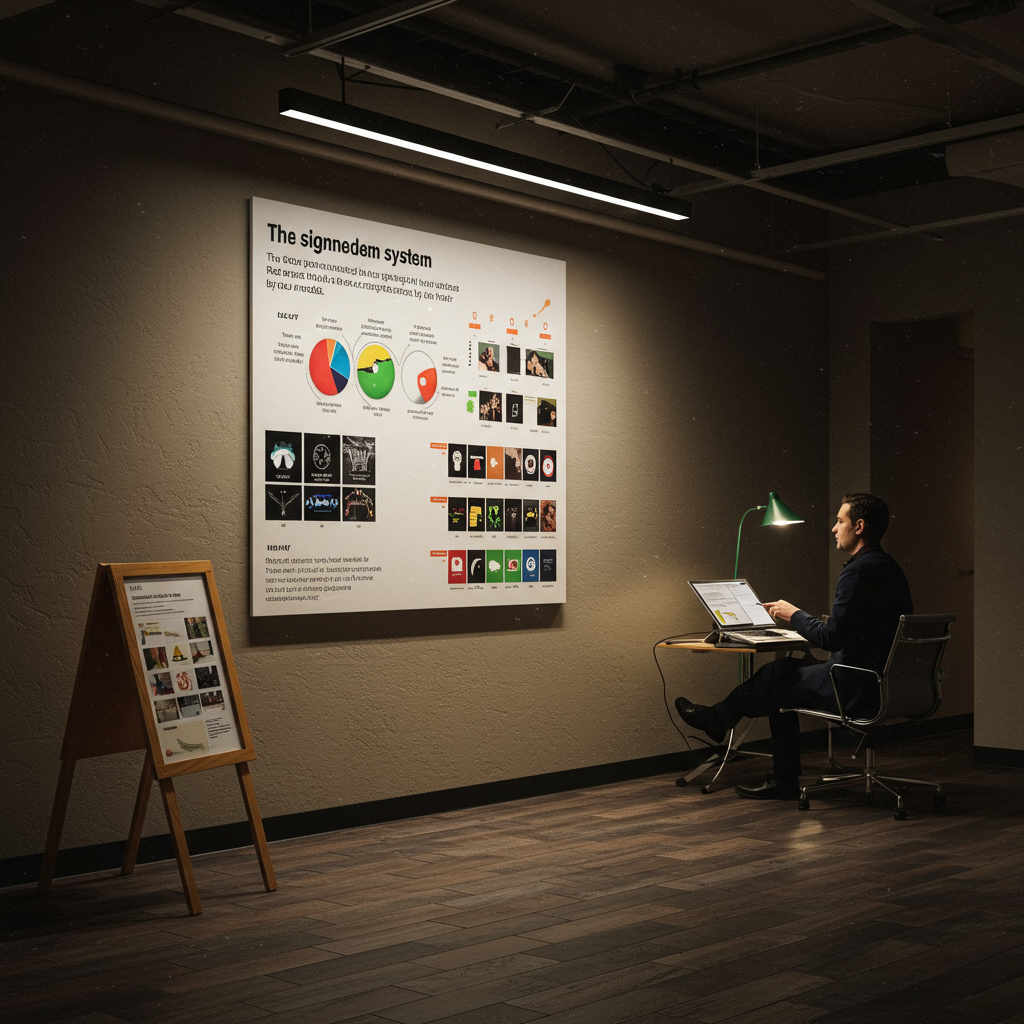
In complex environments like hospitals, airports, and corporate campuses, visitor confusion leads to operational bottlenecks and a poor user experience. An effective signage system is more than just signs; it’s a communication tool that anticipates user needs. This article outlines a comprehensive strategy for designing, implementing, and measuring the impact of a wayfinding solution. We will explore how a user-centric signage system reduces questions directed at staff by up to 50%, thereby freeing up valuable employee time and increasing overall satisfaction. By focusing on data-driven audits, clear information hierarchy, and accessible design principles, organizations can transform their spaces into self-navigating environments. Key performance indicators (KPIs) such as reduced query volume, improved visitor flow, and higher Net Promoter Scores (NPS) are central to our approach, demonstrating a clear return on investment for stakeholders.
Introduction
Every day, thousands of people enter unfamiliar buildings and feel a familiar sense of anxiety. “Where is the cardiology department?” “Which way to Gate B27?” “Is this the right building for the marketing team?” These questions, seemingly small, accumulate into a significant drain on resources. Staff are constantly interrupted from their primary tasks to act as human signposts, leading to lost productivity and frustrated visitors. The core of this problem lies not with the people, but with the environment’s failure to communicate effectively. A well-designed signage system reduces questions by providing clear, concise, and timely information precisely where it’s needed. This is the shift from a reactive to a proactive navigational experience, transforming a confusing space into an intuitive one.
This article provides a blueprint for achieving this transformation. Our methodology is rooted in a deep understanding of user psychology, information design, and operational efficiency. We will detail a systematic process that begins with a thorough wayfinding audit to identify points of friction and concludes with the installation of a cohesive signage solution. We measure success not by the number of signs installed, but by the measurable reduction in visitor confusion and the corresponding increase in operational performance. Key performance indicators (KPIs) are tracked throughout the process, including the percentage decrease in directional questions, the average time to reach a destination, and visitor satisfaction scores. The ultimate goal is to create an environment that guides effortlessly, empowering users and allowing staff to focus on their core responsibilities.
Vision, values and proposal
Focus on results and measurement
Our vision is to create spaces that communicate with clarity and purpose. We believe that effective wayfinding is a fundamental aspect of user experience, directly impacting an organization’s efficiency, brand perception, and bottom line. Our approach is guided by the Pareto principle (80/20 rule): we focus the majority of our effort on the 20% of navigational “decision points” that cause 80% of user confusion. Our work adheres to internationally recognized standards such as the ISO 7001 for graphical symbols and the Americans with Disabilities Act (ADA) Standards for Accessible Design to ensure our solutions are inclusive and universally understood.
- User-Centricity: Every decision is based on the needs and behaviors of the end-user, from a first-time visitor to a daily commuter.
- Data-Driven Strategy: We replace assumptions with evidence gathered from audits, user journey mapping, and staff interviews.
- Simplicity and Consistency: We advocate for a minimalist approach. A successful system uses a consistent visual language (typography, color, iconography) to build user trust and reduce cognitive load.
- Measurable Impact: Our primary value proposition is a quantifiable return on investment. A signage system that reduces questions is a system that saves money and improves service quality. We provide clients with pre- and post-implementation data to provide it.
- Future-Proof Design: We use modular and scalable systems that can adapt to changing environments, ensuring long-term value.
Services, profiles and performance
Portfolio and professional profiles
We offer a comprehensive suite of services designed to address every aspect of environmental communication and wayfinding. Our multidisciplinary team includes wayfinding strategists, environmental graphic designers, project managers, and accessibility consultants. Each service is tailored to help create a signage system that reduces questions and improves the overall functionality of a space.
Operational process
- Phase 1: Diagnosis and Audit (2-4 weeks): Our strategists conduct on-site analysis, user interviews, and journey mapping. KPI: Identify at least 80% of navigational pain points.
- Phase 2: Strategy and Conceptual Design (3-5 weeks): We develop a comprehensive wayfinding strategy, including information hierarchy, sign typology, placement plan, and a conceptual design language. KPI: Conceptual design receives client approval with less than 15% revision requests.
- Phase 3: Detailed Design and Specification (4-6 weeks): Our designers create detailed sign schedules, message schedules, and production-ready artwork. We specify materials for durability and ADA compliance. KPI: All technical specifications are finalized with a deviation of less than 2% from the initial budget.
- Phase 4: Production and Project Management (6-12 weeks): We manage the manufacturing and procurement process, ensuring quality control and adherence to timelines. KPI: 98% of signage components pass quality control on the first inspection.
- Phase 5: Installation and Verification (1-3 weeks): Our certified installation team deploys the system according to the placement plan. A final walkthrough ensures every sign is correct. KPI: Installation completed within the scheduled timeframe with zero safety incidents.
- Phase 6: Measurement and Optimization (4 weeks post-installation): We conduct a post-implementation audit to measure the reduction in questions and other target KPIs, providing a final report on the project’s ROI. KPI: Achieve the target reduction in user questions (e.g., -50%).
Tables and Examples
| Objective | Key Performance Indicators (KPIs) | Actions | Expected Result |
|---|---|---|---|
| Reduce the workload of inquiries for staff | Number of directional questions per hour at key points (reception, nursing) | Implement a hierarchical, color-coded signage system. | 50% reduction in questions in the first 3 months. |
| Improve the visitor experience | Visitor Net Promoter Score (NPS); time to find the destination. | Design clear “You Are Here” maps, install digital directories, and improve signage at decision points. | 15-point increase in NPS; 3-minute reduction in average search time. |
| Increase operational efficiency | Staff time spent giving directions; number of missed appointments (in healthcare settings). | Provide staff training on the new system; integrate signage terminology into pre-visit communications. | Estimated savings of 20 staff hours per week; 10% reduction in missed appointments due to lateness. |
| Ensure universal accessibility | 100% compliance with ADA/ISO standards. | Conduct an accessibility audit; specify fonts, contrasts, mounting heights, and tactile signage (Braille). | Zero accessibility-related complaints; An inclusive environment for all users. |
Representation, campaigns and/or production
Professional development and management
The successful execution of a wayfinding project depends on rigorous project management and seamless coordination between designers, clients, architects, and fabricators. Our process is designed to de-risk the production and installation phases. We develop a master project schedule with critical path milestones, from material procurement to final sign-off. This includes managing all necessary permits for exterior signage and coordinating with other trades on-site to prevent conflicts. A dedicated project manager serves as the single point of contact, providing regular progress reports and ensuring the project stays on schedule and within budget.
Critical Documentation Checklist:
Signed Sign Location Plans
Finalized and Approved Message Program
Technical Specifications for Materials and Finishes
Building and Electrical Permits (if applicable)
Health and Safety Plan for Installation
Contingency Planning:
Pre-approved alternative material suppliers to mitigate supply chain risks
Phased Installation Plan to minimize disruption to operational environments (24/7)
5% Reserve Stock of Common Signage Components (Room Signs, Inserts) for quick replacements.
… convert
Messages, formats and conversions
The “content” of a signage system is the information it conveys. For this content to “convert”—that is, to successfully guide a user without causing hesitation—it must be impeccable in its clarity, consistency, and hierarchy. This is where information design meets user psychology. We employ the principle of “progressive disclosure,” providing users only with the information they need at each specific decision point, avoiding cognitive overload. For example, an exterior sign directs to a building, a lobby sign to a floor or department, and a corridor sign to a specific room. This hierarchical approach is fundamental to a signage system that reduces questions. For digital signage, we use A/B testing on calls to action (CTAs) or informational messages to determine which phrasing and layout is most effective at guiding behavior, with conversion metrics like “interaction rate” or “path selection accuracy.”
Messaging Program Development: The content strategist works with the client to standardize destination naming. (Responsible: Wayfinding Strategist)
Information Hierarchy Design: Three levels of information are defined: primary (departments/zones), secondary (specific services), and tertiary (room numbers). (Responsible: Environmental Graphic Designer)
Iconography Development: A custom icon set is designed, or a standard set (e.g., AIGA) is selected for quick nonverbal communication. (Responsible: Environmental Graphic Designer).
- Content Review and Approval: The client reviews each message in the program to ensure accuracy. (Responsible: Project Manager, Client).
- Integration into Designs: The final content is integrated into the production drawings for each type of sign. (Responsible: Production Designer).
- Final Quality Control: A final test review of all content is performed before manufacturing to prevent costly errors. (Responsible: Project Manager).
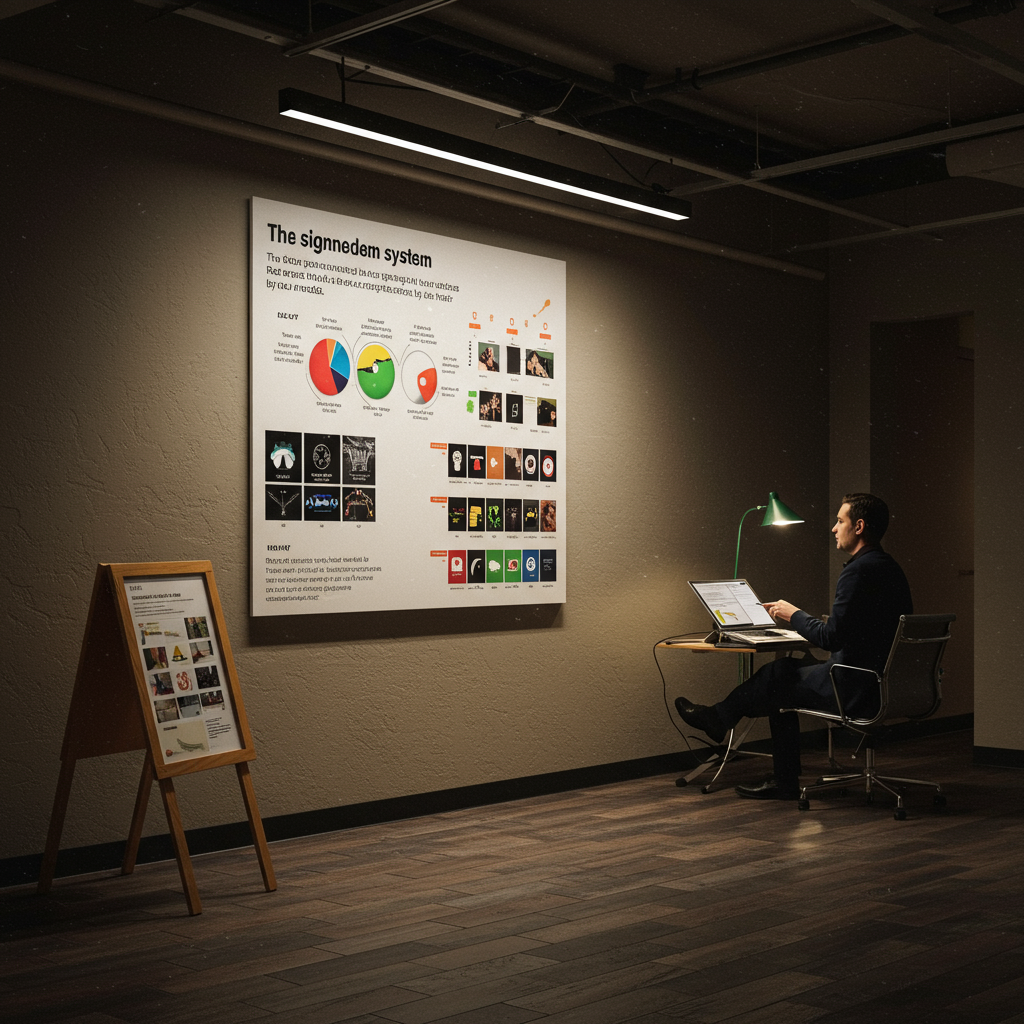
Effective signage content is based on a clear hierarchy and consistent visual language, which are crucial for the business objectives of improving visitor flow and efficiency.
Training and employability
Demand-driven catalog
A signage system is most effective when the organization’s staff understand it and know how to use it as a tool.
We offer training programs to ensure smooth adoption and maximize the system’s ROI. These modules are designed for different staff profiles, from reception to maintenance personnel.
Module 1: “Mastering the Wayfinding: Wayfinding Principles for Frontline Staff.” This module teaches reception, security, and volunteer staff the logic behind the wayfinding system (zoning, color coding, nomenclature) so they can provide consistent and efficient directions.
Module 2: “Wayfinding System Management and Maintenance.” Aimed at facilities staff, this course covers how to update modular signage (directories, room inserts), clean and maintain different materials, and conduct basic signage condition audits.
Module 3: “Content Management for Digital Wayfinding.” For marketing or communications teams, this module provides training on content management software (CMS) for updating digital directories, welcome messages, and promotional content.
Module 4: “Accessibility Principles in Customer Interaction.” This module trains all staff on how to assist visitors with different disabilities in using the wayfinding system, complementing the physical accessibility features.
Methodology
Our training methodology is practical and role-based. We use a combination of face-to-face sessions, quick reference manuals, and video tutorials. Assessment is conducted using scenario-based rubrics, where staff must solve common wayfinding problems. Upon completion of the training, employees not only understand the system but also become ambassadors for it, reinforcing its effectiveness. This contributes to employability by equipping staff with skills in customer experience and facilities management. Expected results include a 95% reduction in incorrect directions given by staff and increased staff confidence in handling visitor inquiries.
Operational Processes and Quality Standards
From Request to Execution
Our operational process is designed to be transparent, efficient, and collaborative, ensuring that every project meets the highest quality standards from initial concept to post-installation evaluation.
- Diagnosis (Phase 1): Begins with an initial meeting to understand the client’s objectives. We conduct a comprehensive site audit. The deliverable is a “Wayfinding Audit Report” that details the issues, user personas, and initial recommendations. Acceptance Criteria: The client agrees with the findings and priorities.Proposal and Strategy (Phase 2): We develop a detailed proposal outlining the scope of work, schedule, and budget. We create the “Wayfinding Strategy” document, which serves as the master plan for the project. Acceptance Criteria: Contract signing and strategy approval.
Design (Phase 3): This includes conceptual design, schematic design, and design development. Deliverables are the “Conceptual Design Package,” the sign placement plan, and elevations of the sign types. Acceptance Criteria: Client approval of all designs and placements.
Production Documentation (Phase 4): We create a comprehensive set of tender and construction documents, including the message schedule, material specifications, and shop drawings. Deliverable: “Construction Documentation Package.” Acceptance criterion: The package is complete and ready for manufacturers to submit their bids.
- Execution and Management (Phase 5): We manage the manufacturer bidding process, oversee production, and coordinate installation. Deliverables include regular progress reports and on-site supervision. Acceptance criterion: The signage is manufactured to specifications and installed according to plan.
- Closure and Evaluation (Phase 6): We conduct a final walkthrough with the client, provide a handover documentation package (including maintenance instructions), and carry out the post-implementation survey. Deliverable: “Project Impact Report.” Acceptance Criteria: The client signs off on project completion and confirms the achievement of the KPIs.Quality Control
Quality control is integrated into every phase of our process to ensure excellence and mitigate risks.Roles: The Project Manager is responsible for overall quality. The Lead Designer approves all design deliverables. A Production Specialist reviews shop drawings and samples.
Escalation: Issues are identified and escalated from the specialist to the project manager and, if necessary, to the project director for resolution within 24 hours.
Acceptance Indicators: Each deliverable has a quality checklist that must be completed before submission to the client. Production samples must be approved before full-scale manufacturing.
- Service Level Agreements (SLAs): We commit to a 48-hour response time for customer inquiries and a budget deviation of no more than 5% without an approved change order.
- Risk: Production delays or poor quality. Mitigation: Qualify manufacturers; conduct factory inspections; require a detailed production schedule.Installation: Signage installed. Placement as planned (2 cm tolerance); zero damage to site surfaces.Risk: Disruption of customer operations; safety issues. Mitigation: Develop a phased installation plan; Conduct daily security meetings.
Quality Control and Risk Mitigation Matrix Phase Deliverables Control Indicators Risks and Mitigation Diagnosis Audit Report Identification of at least 80% of navigation conflict points. Risk: Incomplete data. Mitigation: Use multiple data collection methods (observation, interviews, surveys). Design Design Package, Site Plan 100% compliance with the brand style guide; ADA compliance. Risk: Impractical or costly designs. Mitigation: Construction feasibility reviews at each design milestone. Production Samples, Prototypes Color matching (Delta E < 2.0); Approval of the material sample. Evaluation Impact Report Achievement of target KPIs (e.g., 50% reduction in questions). Risk: Failure to achieve KPIs. Mitigation: Include a 30-day adjustment period to make minor modifications to the system based on initial feedback.
Application Cases and Scenarios
Case 1: Urban Hospital Complex (St. Jude’s Medical Center)
Challenge: A 1,200,000-square-foot hospital complex with multiple buildings, wings, and specialty clinics suffered from an outdated and inconsistent wayfinding system. Data showed that 35% of patients were late for their appointments, citing difficulty finding the location as the primary reason. The main reception staff recorded an average of 80 directional inquiries per hour during peak times. Solution: A comprehensive wayfinding system based on a color-coded zoning strategy was implemented. Each of the four main buildings was assigned a color and a letter (e.g., Blue Tower A). All signage, from road signs to room numbers, incorporated this code. Digital directories with interactive maps were installed at each entrance. Terminology was standardized across all hospital communications (e.g., “Cardiology Clinic, Blue Tower A, Floor 3”). Results: Six months after implementation, a follow-up audit revealed that directional inquiries at the main reception desk had decreased by 62% (to approximately 30 per hour). The missed appointment rate attributed to wayfinding was reduced by 70%. The hospital’s Net Promoter Score (NPS) related to “ease of wayfinding” increased by 25 points. The ROI was calculated over 18 months, based on recovered staff time and improved appointment throughput.
Case 2: International Airport Terminal (Terminal 4, JFX)
Challenge: A busy terminal handling 50,000 passengers daily had significant congestion points, especially in the transition from security to the gates. Passenger surveys revealed high levels of stress and confusion. Airline staff were spending a disproportionate amount of time giving directions instead of addressing ticketing issues. Solution: A “heads-up” signage system was designed, using large suspended signs with highly legible typography and universal iconography. The principle of progressive disclosure was applied: signage immediately after security directed passengers only to the general gate areas (e.g., Gates B20-B35), with more specific signs appearing as they approached. Dynamic digital signs were installed that could update gate information in real time. Results: The average transit time from security to the gate was reduced by 22%. On-site observations showed a 48% reduction in the number of passengers stopping to ask staff for directions. Revenue for shops located beyond the security checkpoint increased by 8%, which was attributed to passengers feeling more relaxed and having more time to shop. This project demonstrated how a signage system reduces questions and can also generate indirect revenue.
Case 3: Large University Campus (Northwood University)
Challenge: A 300-acre campus with over 50 buildings had confusing building nomenclature and inconsistent vehicular and pedestrian signage. New students, staff, and visitors frequently got lost, resulting in a poor first impression and inefficient event logistics. Solution: A unified wayfinding strategy was developed, beginning with the creation of a clear campus map and a logical grid. A three-tiered exterior signage system was installed: large monoliths at campus entrances, directional signs at key intersections, and building identification posts with area maps. Each building was given a clear identification number that was used consistently across all materials. Standardized directories were created for the interior of each building. Results: A survey of first-year students at the end of their first semester showed that 92% felt “safe” or “very safe” navigating the campus, compared to 55% the previous year. The admissions office reported an 80% decrease in calls from visitors requesting directions on the day of their campus visit. The project became a point of pride and a featured element in recruitment materials.
Case 4: Corporate Headquarters of a Technology Company (Innovate Corp.)
Challenge: A new 500,000-square-foot headquarters designed with an open floor plan and numerous unnamed “collaboration zones” was causing confusion for both employees and visitors. Meeting rooms were difficult to find, and it took new employees weeks to learn how to navigate. Solución: Se implementó un sistema de wayfinding que nombraba los diferentes “barrios” dentro del plano de planta abierto basándose en temas locales (p. ej., “El Distrito del Puerto”, “El Barrio del Parque”). Se instalaron gráficos ambientales a gran escala y una señalización de colores sutiles en el suelo para delinear estas zonas. Todas las salas de reuniones se equiparon con señalización digital que se integraba con el sistema de calendario de la empresa, mostrando la disponibilidad de la sala y el nombre de la reunión. Se colocaron directorios de pantalla táctil en los núcleos de los ascensores. Resultados: El tiempo que los empleados tardaban en encontrar las salas de reuniones se redujo en un promedio de 4 minutos por reunión, lo que se tradujo en un ahorro de productividad significativo en toda la empresa. El departamento de recursos humanos informó que la retroalimentación de la incorporación de los nuevos empleados sobre la “facilidad para aprender el diseño de la oficina” mejoró de “deficiente” a “excelente”. El sistema de señalización se convirtió en una parte integral de la cultura de la empresa y del diseño del lugar de trabajo.
Guías paso a paso y plantillas
Guía 1: Cómo realizar una auditoría de wayfinding en sus instalaciones
- Definir los personas de los usuarios: Identifique los principales tipos de usuarios (p. ej., visitante por primera vez, empleado, repartidor, técnico de mantenimiento). ¿Cuáles son sus objetivos y necesidades?
- Trazar los recorridos clave de los usuarios: Para cada persona, trace las rutas más comunes y críticas. Por ejemplo: del aparcamiento a la recepción; de la recepción a la sala de reuniones X; de la cafetería al servicio.
- Realizar un paseo etnográfico: Camine físicamente por estas rutas. Documente cada pieza de señalización existente con fotografías. Anote su ubicación, estado y mensaje.
- Identificar los puntos de decisión: Anote cada lugar donde un usuario debe tomar una decisión de navegación (p. ej., una intersección de pasillos, la salida de un ascensor, una entrada a un edificio). ¿Hay una señal en este punto? ¿Es clara?
- Documentar los puntos de conflicto: Registre cualquier lugar donde usted o un observador se sienta confundido, dude o tome un giro equivocado. Estos son sus “puntos de conflicto”.
- Entrevistar al personal de primera línea: Pregunte al personal de recepción, seguridad y otros empleados cuáles son las preguntas direccionales más comunes que reciben. Esta es una mina de oro de datos.
- Analizar los datos: Compile sus hallazgos. Cree un mapa de “puntos calientes” que muestre dónde se produce la mayor confusión. Compare la terminología utilizada en las señales con la utilizada por el personal y los usuarios.
- Crear un informe de hallazgos: Resuma sus hallazgos, destacando las 3-5 áreas principales de mejora. Esto formará la base de su estrategia de wayfinding.
Lista de verificación final: ¿He identificado a todos los usuarios? ¿He trazado los 10 recorridos más importantes? ¿Tengo un inventario fotográfico de la señalización existente? ¿He documentado al menos 20 preguntas comunes del personal? ¿He identificado los puntos de decisión clave?
Guía 2: Principios del diseño de señalización accesible (Cumplimiento de la ADA e ISO)
- Contraste visual: Asegúrese de que haya un alto contraste entre los caracteres y su fondo (p. ej., texto oscuro sobre fondo claro). La norma ADA recomienda una relación de contraste de al menos 70% (aproximadamente 4,5:1).
- Tamaño y tipo de letra: Utilice fuentes sans-serif (como Helvetica o Arial) que sean fáciles de leer. El tamaño de los caracteres debe determinarse en función de la distancia de visualización. Para las señales táctiles, los caracteres deben tener una altura de entre 5/8 de pulgada y 2 pulgadas.
- Acabado y deslumbramiento: Utilice acabados no deslumbrantes (mate o satinado) para evitar el deslumbramiento, que puede dificultar la lectura a las personas con problemas de visión.
- Altura y ubicación de montaje: Las señales que identifican las habitaciones y los espacios deben estar en la pared adyacente al lado del pestillo de la puerta. La línea central de la señal debe estar a 60 pulgadas del suelo. Las señales suspendidas deben tener un espacio libre de al menos 80 pulgadas.
- Caracteres táctiles y Braille: Para las señales de identificación permanentes (números de habitación, baños), los caracteres deben ser táctiles (elevados 1/32 de pulgada). Se debe incluir Braille de grado 2 debajo del texto correspondiente.
- Símbolos e iconos: Utilice el Símbolo Internacional de Accesibilidad y otros pictogramas estandarizados para comunicar información de forma no verbal.
Guía 3: Plantilla para un brief de proyecto de señalización
- Resumen del proyecto: ¿Qué está tratando de lograr? (p. ej., “Implementar un nuevo sistema de wayfinding para nuestro campus corporativo para reducir la confusión de los visitantes”).
- Antecedentes de la organización: Describa su organización, su marca y el entorno físico.
- Público objetivo: ¿A quién está destinado el sistema de señalización? (Describa sus personas de usuario).
- Problemas y oportunidades: ¿Cuáles son los problemas específicos que está tratando de resolver? (Utilice los datos de su auditoría de wayfinding).
- Alcance del trabajo: ¿Qué áreas están incluidas? (p. ej., solo interior, exterior e interior, solo un edificio). ¿Qué tipos de señalización prevé? (p. ej., estática, digital, ambas).
- Objetivos y KPI: ¿Cómo medirá el éxito? (p. ej., “Reducir las preguntas en la recepción en un 40%”, “Aumentar el NPS en 10 puntos”).
- Presupuesto: ¿Cuál es su rango de presupuesto estimado para el proyecto?
- Cronograma: ¿Cuáles son las fechas límite o hitos importantes?
- Partes interesadas: ¿Quiénes son los responsables de la toma de decisiones clave en este proyecto?
- Requisitos de la marca: Proporcione sus guías de estilo de marca (logotipos, colores, fuentes).
Recursos internos y externos (sin enlaces)
Recursos internos
- Plantilla de Brief de Proyecto de Wayfinding
- Lista de Verificación de Auditoría de Wayfinding
- Guía de Estilo de Señalización y Estándares de Marca
- Plantilla de Programa de Mensajes
- Catálogo de Tipos de Señales Estándar
- Manual de Mantenimiento de Señalización
Recursos externos de referencia
- Normas de Diseño Accesible de la ADA (Americans with Disabilities Act)
- ISO 7001: Símbolos gráficos — Símbolos de información pública
- ISO 21542: Construcción de edificios — Accesibilidad y usabilidad del entorno construido
- Guías de la Sociedad de Diseño Gráfico Experimental (SEGD)
- Publicaciones del Instituto de Señalización y Gráficos (Signage & Graphics Institute)
Preguntas frecuentes
¿Cuál es la diferencia entre señalización y wayfinding?
La señalización se refiere a los elementos físicos (los letreros). El wayfinding es el concepto más amplio de cómo las personas se orientan y navegan por un espacio. Un buen wayfinding utiliza la señalización, pero también puede incluir arquitectura, puntos de referencia, mapas, comunicación verbal y herramientas digitales para guiar a las personas.
¿Cuánto cuesta implementar un nuevo sistema de wayfinding?
El costo varía enormemente según el tamaño y la complejidad del espacio, los materiales elegidos y si se incluye señalización digital. Puede oscilar entre $5 por pie cuadrado para una solución básica en una oficina pequeña y más de $50 por pie cuadrado para un sistema complejo en un hospital o aeropuerto. El enfoque debe estar en el ROI, ya que un buen sistema ahorra dinero a largo plazo.
¿Cuánto tiempo dura el proceso?
Para un proyecto de tamaño mediano, un cronograma típico es de 4 a 9 meses. Esto incluye: 2-4 semanas para la auditoría y la estrategia, 6-10 semanas para el diseño, y 8-16 semanas para la fabricación e instalación. Los proyectos más grandes pueden tardar un año o más.
¿Cómo se mide el éxito de un proyecto de wayfinding?
El éxito se mide con KPI claros establecidos al principio. Las métricas clave incluyen: la reducción porcentual de las preguntas direccionales hechas al personal, la disminución del tiempo para llegar a un destino, el aumento de las puntuaciones de satisfacción de los visitantes (NPS), y la reducción de los incidentes operativos como citas perdidas o retrasos en las entregas.
¿Pueden integrar señalización digital con la señalización estática tradicional?
Absolutamente. Un enfoque híbrido suele ser el más eficaz. La señalización estática es ideal para información permanente (identificación de habitaciones, direcciones generales), mientras que la señalización digital es excelente para información que cambia con frecuencia (directorios, eventos diarios, información de puertas de embarque). Un sistema bien diseñado integra ambos a la perfección.
Conclusión y llamada a la acción
Invertir en un sistema de wayfinding estratégico es mucho más que una simple mejora estética; es una inversión fundamental en la eficiencia operativa y la experiencia del usuario. Como hemos demostrado a través de procesos detallados y casos de estudio, un signage system reduces questions, lo que se traduce directamente en beneficios cuantificables: el personal se libera para centrarse en sus tareas principales, los visitantes se sienten más seguros y autónomos, y el flujo general de personas a través de un espacio se vuelve más fluido y eficiente. Al pasar de un enfoque reactivo a uno proactivo en la orientación, las organizaciones pueden transformar sus entornos físicos en activos que trabajan para ellas, mejorando la satisfacción, la productividad y, en última instancia, el resultado final. La evidencia es clara: un sistema bien ejecutado puede reducir las consultas en un 50% o más, un KPI que habla por sí mismo.
Si su organización está luchando con la confusión de los visitantes, la sobrecarga del personal y las ineficiencias operativas, es hora de considerar el poder de un wayfinding inteligente. Dé el primer paso para transformar su espacio. Póngase en contacto con nosotros para programar una auditoría de wayfinding inicial y descubrir cómo un sistema de señalización diseñado a medida puede resolver sus desafíos de navegación más apremiantes.
Glosario
- Wayfinding
- El proceso cognitivo y la experiencia de orientarse y navegar de un lugar a otro. Abarca todos los medios por los que las personas entienden y utilizan un espacio.
- Señalización de Monolito (Monolith Sign)
- Una señal independiente y alta, a menudo ubicada en las entradas o puntos de decisión clave en exteriores para proporcionar una alta visibilidad.
- Divulgación Progresiva (Progressive Disclosure)
- Un principio de diseño de la información en el que la información se presenta en una jerarquía, revelando solo lo que es necesario en cada etapa del viaje para evitar la sobrecarga cognitiva.
- Diseño Gráfico Ambiental (Environmental Graphic Design – EGD)
- Una disciplina de diseño multidisciplinar que implica la comunicación de información e identidad en el entorno construido. El wayfinding es un subconjunto importante del EGD.
- ADA (Americans with Disabilities Act)
- Una ley de derechos civiles de los EE. UU. que prohíbe la discriminación basada en la discapacidad. Las Normas de Diseño Accesible de la ADA establecen requisitos para la señalización, incluyendo el contraste, el tamaño de la fuente, el Braille y la altura de montaje.
- Programa de Mensajes (Message Schedule)
- Un documento detallado, a menudo una hoja de cálculo, que enumera el texto y los símbolos exactos que aparecerán en cada señal del proyecto.
Internal links
- Click here👉 https://us.esinev.education/diplomas/
- Click here👉 https://us.esinev.education/masters/
External links
- Princeton University: https://www.princeton.edu
- Massachusetts Institute of Technology (MIT): https://www.mit.edu
- Harvard University: https://www.harvard.edu
- Stanford University: https://www.stanford.edu
- University of Pennsylvania: https://www.upenn.edu